
How it works
How WhatsApp Ordering Works for Bars, Restaurants and Events
Guests scan a QR code, order through WhatsApp and your team manages everything from the Live Orders Screen. Digame supports table service, collection ordering or both — depending on how your venue operates.
Table service or collection — Digame supports both.
One platform. Multiple service models.
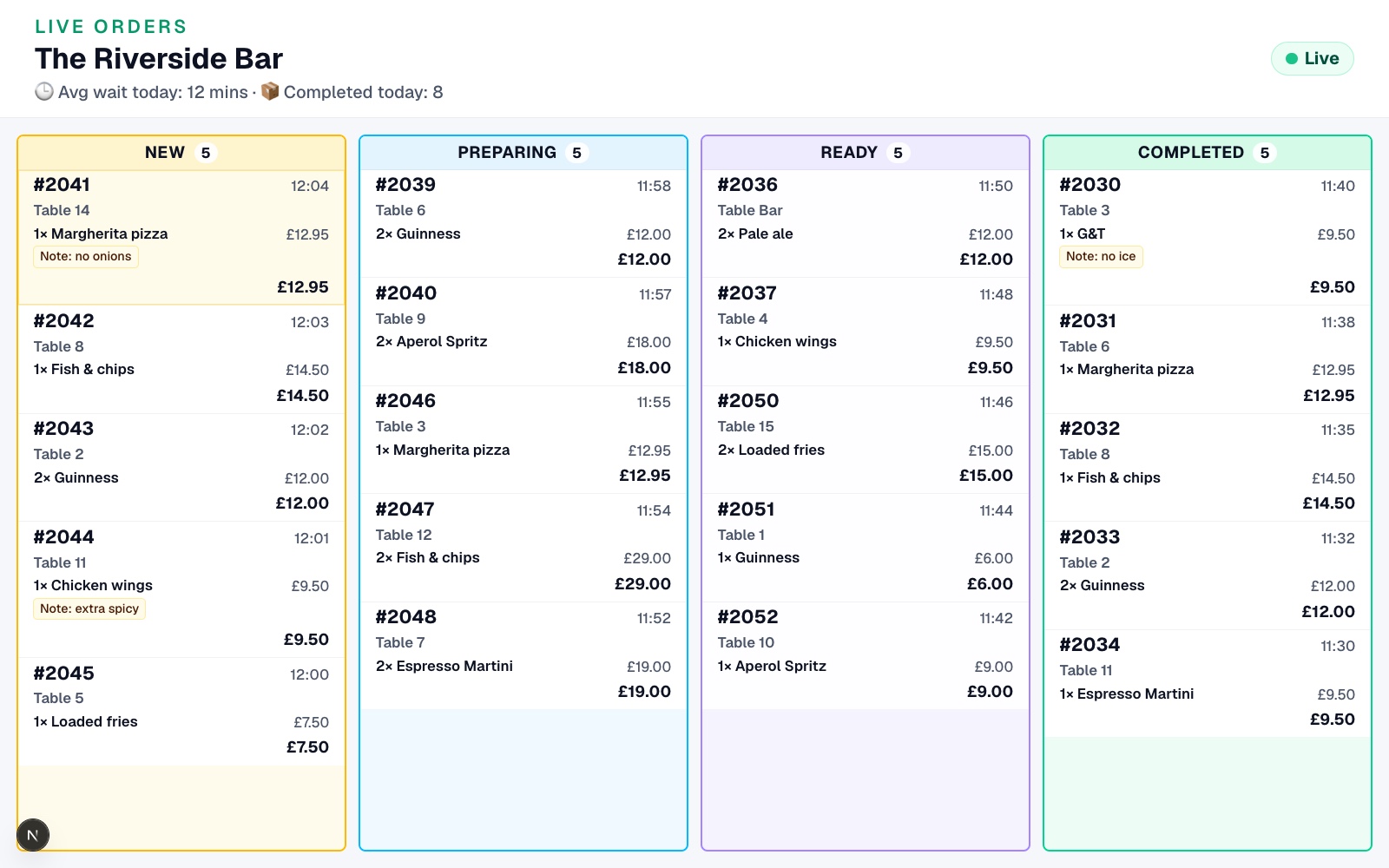
Live Orders Screen
Step 1
QR Code Ordering Opens WhatsApp Instantly
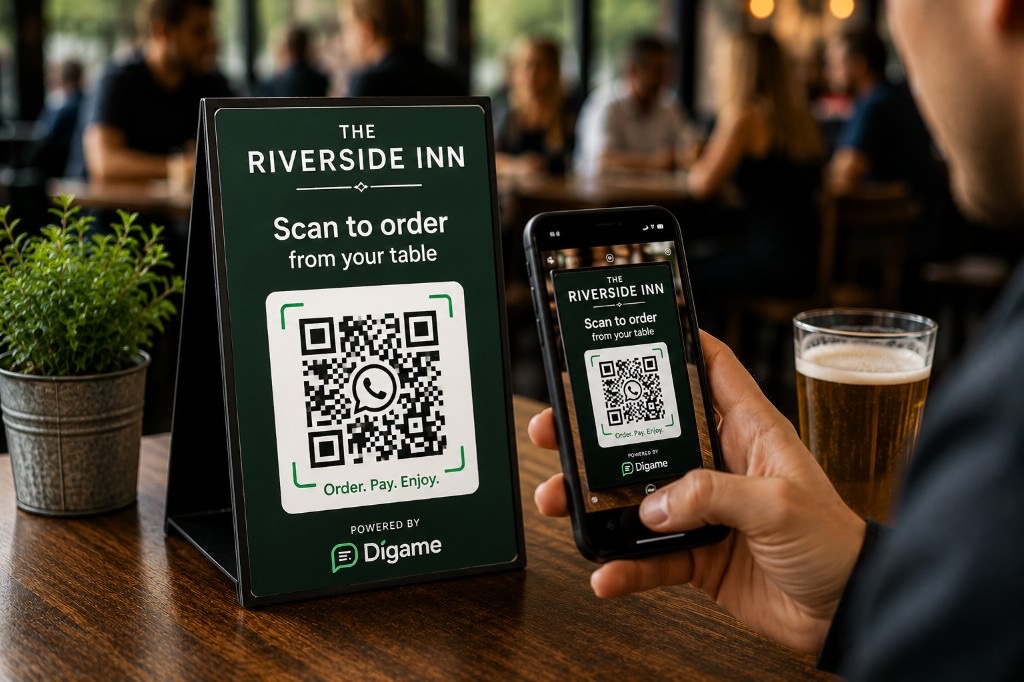
Customers scan a Digame QR code from a table, bar, terrace, pool area or collection point. The QR code opens WhatsApp instantly and identifies the correct venue and location.
- No app download
- Table numbers can be assigned automatically
- Collection points can be assigned automatically
- Different QR codes for tables, bars, terraces, pool areas and collection zones
Step 2
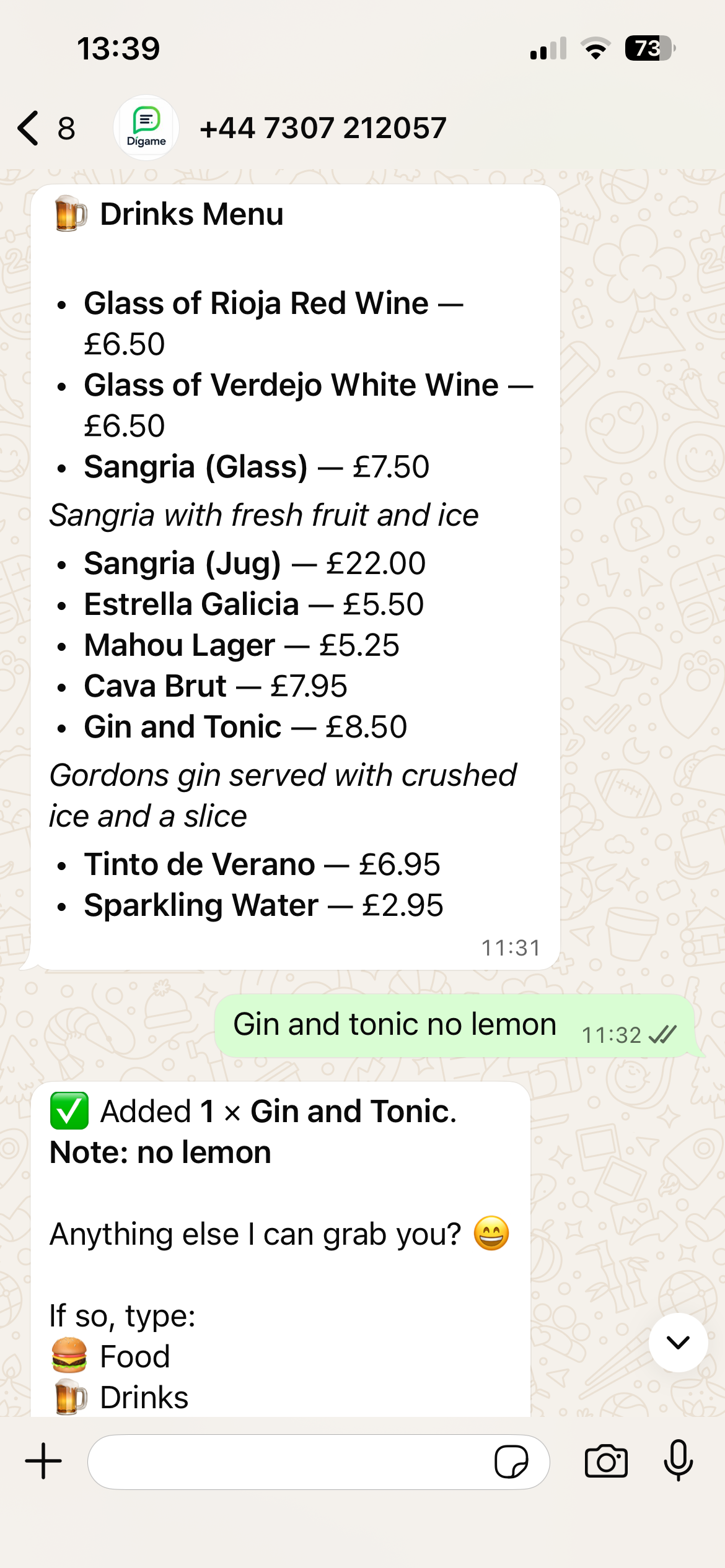
Customers Order Through WhatsApp Without an App
Customers order through WhatsApp using a channel they already know. They can browse menus, ask questions and place orders without creating an account. Customers can order to a table or place an order for collection depending on how the venue is configured.
- Familiar customer experience
- No sign-up wall
- Natural language ordering
- Faster order completion
The Riverside Bar
Digame · WhatsApp ordering
✅ Got it — 1 × Burger without tomato and skinny fries.
Anything else I can get for you?
✅ Added 1 × Coke.
Note: No ice
Step 3
Capture Item Notes and Custom Order Requests Through WhatsApp
Digame captures modifiers, item notes and customer requests before the order reaches your team. Requests like “no ice”, “extra sauce” or “no tomato” are shown clearly on the order. Digame automatically includes the table number or collection reference with every order.
- Capture special requests
- Confirm orders before payment
- Reduce mistakes
- Improve communication between customers and staff
Step 4
Live Orders Screen for Bars, Restaurants and Events
Paid orders appear instantly on the Live Orders Screen. Staff can move orders through New, Preparing, Ready and Completed while keeping the whole team aligned — whether orders are for tables or collection.
- Real-time order dashboard
- Clear status stages
- Table numbers displayed on every order
- Collection references displayed when collection mode is enabled
- One workflow for bars, kitchens and service teams
Live Orders Screen
Digame Collection Screen
For venue TVs and collection displays
Step 5
Optional collection feature
Customer Collection Screen for Hospitality Venues
For venues offering collection, Digame includes an optional customer-facing Collection Screen. It shows customers when orders are being prepared and when they are ready to collect, without displaying personal details.
- Large order numbers
- TV-friendly display
- Fewer “is my order ready?” questions
- Only shown when collection ordering is part of your venue setup
Many venues use Digame purely for table service and do not require a Collection Screen.
Ready to Launch WhatsApp Ordering at Your Venue?
Create your venue, upload your menu and start generating QR codes in minutes.